Multi-Account Telegram Autoposting

Manage multiple Telegram accounts simultaneously. Automate posting, join groups, publish stories, use forum topics, and proxies. Professional tool for scaling your Telegram marketing.

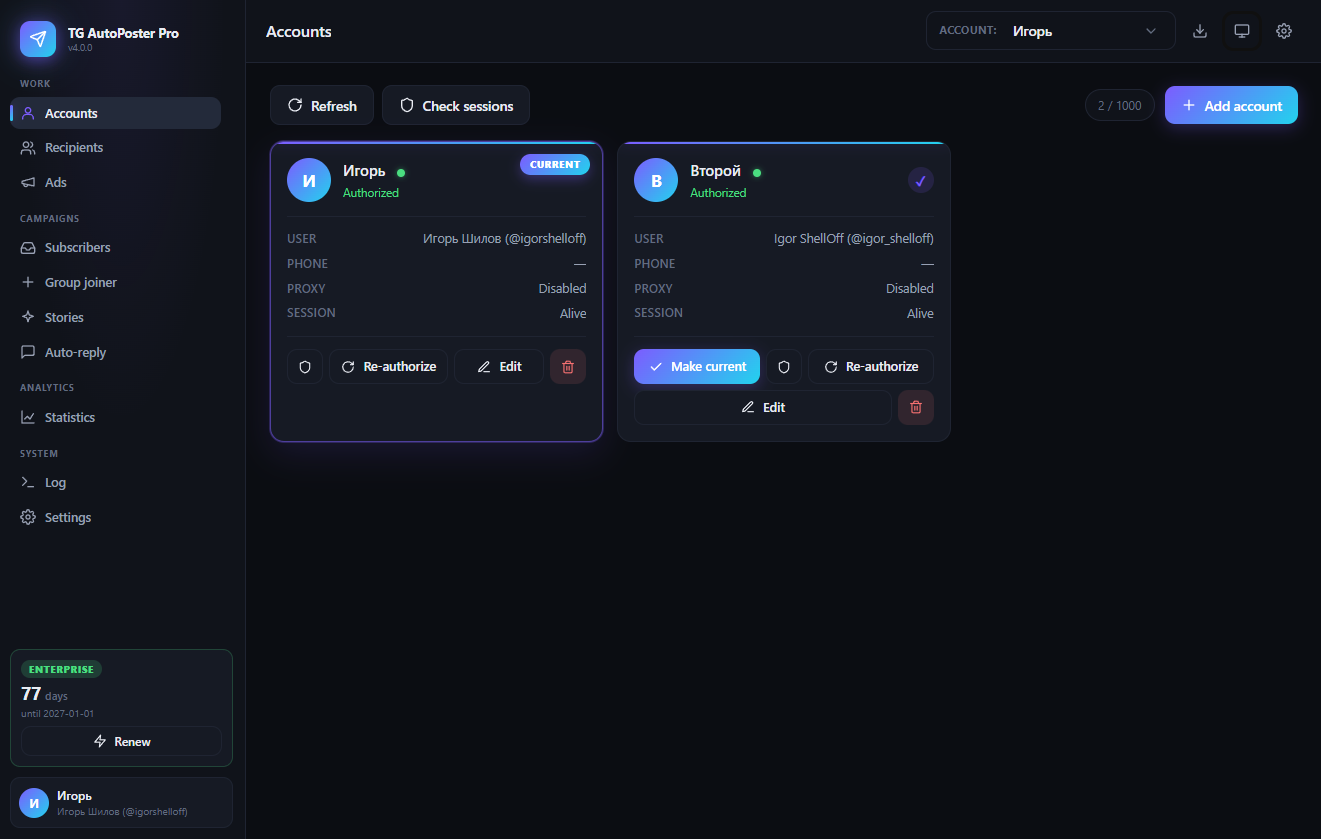
App Dashboard
Message Editor
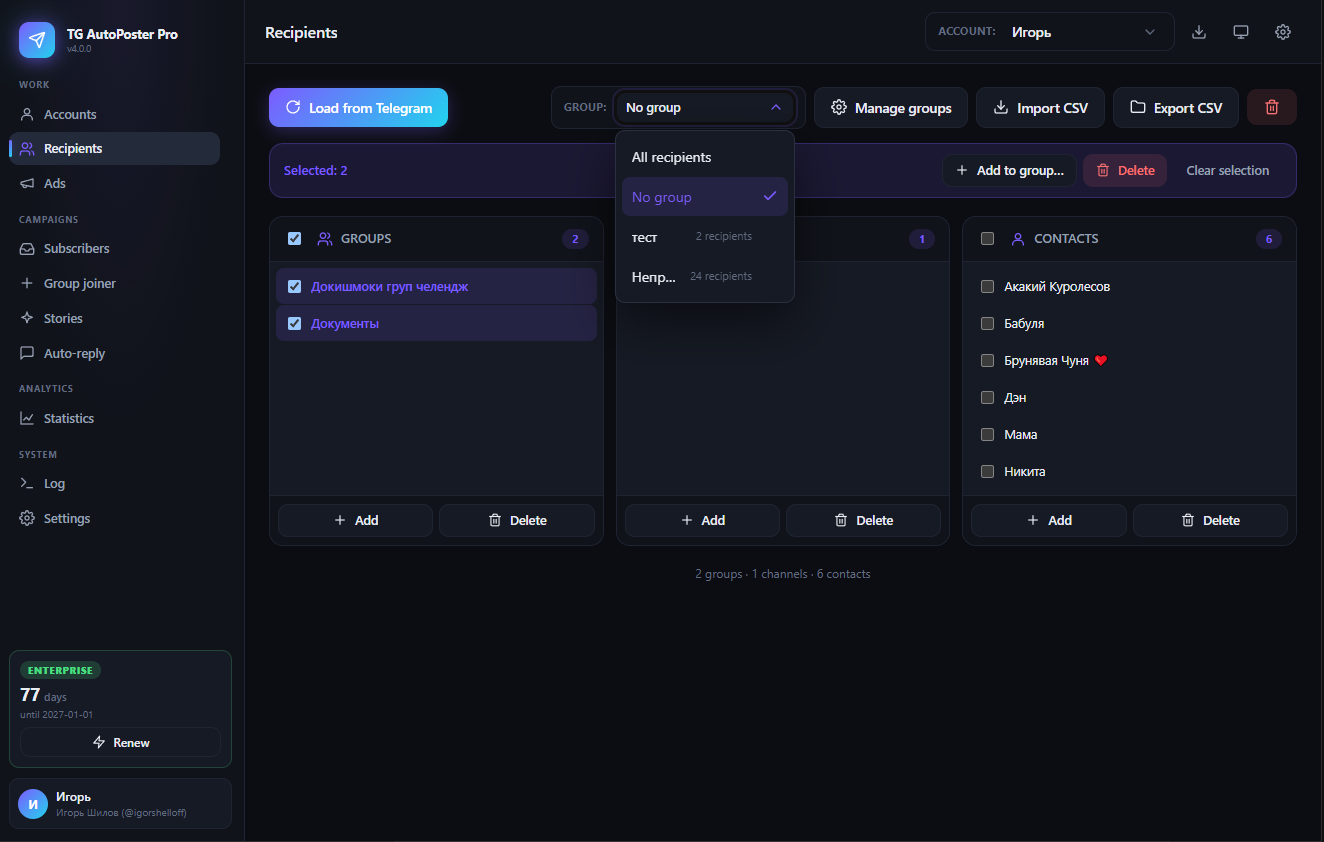
Recipients Management
Scheduling Interface

Powerful Features for Professional Marketing

Click on any feature to learn details

Multi-Account + Proxies

Auto-Join Groups

Smart Scheduler & Time Windows

Media Support

Story Campaigns (Premium)

Forum Topics

QR Authorization

Global Time Window

Flood Protection

10 Languages

Privacy First

Enterprise Features

What's new in version 3.0

Story campaigns, forum topics support, QR authorization, global time windows, and much more.

Read the detailed guide

Simple & Transparent Pricing

Choose the plan that works best for your needs. All plans include full feature access.

Standard

$5

per month

  • 1 Telegram account
  • Posting to groups and channels
  • Direct messages
  • Media file support
  • Flexible scheduling
  • Basic email support

Supporter

$19.99

per month

  • All Enterprise features
  • Maximum priority support
  • Feature requests priority
  • Your name in application credits
  • Personal consultation from developer
  • Support independent development
Trial period: Standard plan available for 3-day free testing Get Trial Key

Secure payment processing.

How It Works

1

Download & Install

Download the Telegram AutoPoster Pro application for Windows or MacOS. Choose your platform and follow the simple installation process.

Download Now
2

Get Your License Key

Start with a 3-day free trial or purchase a subscription. You'll receive your license key via email immediately.

Get Trial Key
3

Add Accounts (QR or SMS)

Add one or more Telegram accounts. Use fast QR authorization or classic SMS login. Configure individual proxies if needed.

4

Configure Recipients & Content

Refresh the list of groups, channels, and contacts. Create message templates, attach media. For forum groups, select specific topics.

5

Schedule Posts & Stories

Set posting intervals (minutes to days). Enable time windows (e.g., 9 AM – 10 PM). Create story campaigns if you have Premium.

6

Start Automation

Click "Start Mailing" or "Start Campaign". The app runs in the background; monitor progress in the event log.

7

Need More Help?

Check our complete installation guide with detailed instructions, troubleshooting tips, and information about security warnings.

View Complete Guide

Frequently Asked Questions

Multi-account support allows you to manage multiple Telegram accounts simultaneously in one application. You can:
  • Add unlimited accounts (in Enterprise plan)
  • Configure individual proxies for each account
  • Manage separate recipient lists for each account
  • Run automation on all accounts simultaneously
  • Monitor status of each account in real-time
You can create campaigns to automatically publish stories (stories). Telegram Premium is required on the account. You specify a media file, caption, and interval (e.g., once a day). The app will publish stories on schedule, automatically handling errors and time windows.
Yes! When creating an ad for a group that is a forum, the app automatically loads the list of topics. You can select specific topics to send messages to, or send to all topics at once. The main chat is also available.
In settings, you can enable a global time window (e.g., from 9:00 to 22:00). Then all ads and story campaigns will only run within that window, overriding individual settings. Useful to restrict sending to business hours.
When you choose "QR code" login, the app generates a QR code. Open Telegram on your phone, go to Settings → Devices → Scan QR, and scan the code. This is the fastest and most secure way to authorize.
Yes, the Enterprise plan includes buttons "Start all accounts" and "Stop all accounts". They start or stop all ads and story campaigns on all accounts simultaneously, saving time in mass management.
We accept all major credit cards (Visa, Mastercard, American Express) through our secure payment processor.

Ready to Scale Your Telegram Marketing?

Join professional marketers who already automate dozens of Telegram accounts

Independent Development

Passionate about creating tools that solve real problems

About the Developer

Hello! I'm a solo developer passionate about creating tools that solve real problems. Telegram AutoPoster Pro was born from my own frustration with managing multiple Telegram communities.

As a one-person operation, I pour my heart and soul into this application. Every feature is carefully crafted based on user feedback and my own experience managing Telegram communities.

When you purchase a license, you're directly supporting independent software development. The Enterprise and Supporter plans help me dedicate more time to improving the app and adding new features.

support@tgautoposter.com

@igor_shelloff

Additional Tools for Telegram

All tools are included in Telegram AutoPoster Pro subscription. Get access to everything at one price!

Telegram Channel Backup Tool

Professional solution for channel backup

Essential tool for Telegram channel owners that allows creating complete backups and restoring channels from backups. Save entire message history, media files and channel settings in local folder.

Complete channel export

Save all messages, media, descriptions and avatars

Restore from backup

Create new channels from saved copies

Secure storage

All data stored locally on your computer

Windows support

Portable application without installation

Included in subscription!

Use your existing license key from Telegram AutoPoster Pro. No need to purchase separately!

Who is this tool for?

Channel Owners

Create backups of important channels

SMM Specialists

Archive campaigns and content

Business Accounts

Save customer communication history

Archivists

Preserve valuable information for history

Get Started Today

Download Telegram AutoPoster Pro for your platform

Important Security Notice

Windows: Since Telegram AutoPoster Pro is developed by an independent developer, Windows SmartScreen may show a warning when running.

MacOS: The application is not notarized with Apple Developer certificate. You may need to allow it in Security & Privacy settings.

This is normal for applications without expensive code signing certificates. Learn more in our guide or test in Windows Sandbox first.

Windows Version

Portable Application (EXE)


System Requirements
  • Windows 10 or 11
  • 2GB RAM minimum
  • 100MB free disk space
  • Active internet connection
Portable Application
  • No installation required
  • Runs directly from EXE file
  • Creates config files and sessions folder in the same location
  • Can be moved to any location
Data Storage

The application creates config.json and a sessions folder with encrypted session files. Learn how to protect these important files from accidental deletion.

MacOS Version

DMG Package


System Requirements
  • MacOS 10.14 (Mojave) or newer
  • 2GB RAM minimum
  • 100MB free disk space
  • Active internet connection
Installation
  • Download and open DMG file
  • Drag application to Applications folder
  • Launch from Applications or Launchpad
  • Data files stored in standard MacOS location: ~/Library/Application Support/TelegramAutoPoster/
MacOS Security

Since the application is not notarized with Apple Developer certificate, you may see a security warning. Learn how to allow the application in Security & Privacy settings.